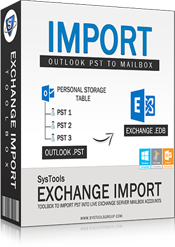
- Exchange Import Toolbox
Exchange Import Tool
Exchange Import Tool to Import PST Files to Exchange Server Straight Away
- Live Exchange server environment is required to import PST files.
- MS Outlook installation and proper configuration is necessary.
- Both Exchange Server and migration machine must be in the same domain.
- Database mailboxes should have complete administrative rights.
- On Windows OS 8.1,8,7 & Vista the tool 'Run as Administrator'
Product Guide System Requirements "")
Features of Exchange Import
PST Importer to Exchange is a perfect solution to save copy of all Outlook data located on a network of Windows system, into database of Exchange Server all together at once. Outlook has limited storage space, so it cannot store large amount of data in the PST file.
Exchange Import tool has been developed in such a way so as to directly import the emails, contacts, tasks, etc. into Exchange mailboxes. However, certain conditions need to be fulfilled before software is run to import

Import PST to Exchange in Bulk
Multiple PST files can be imported into Exchange database in batch which would otherwise require adding one file from a folder at a time. This is highly advantageous as it speeds up the process and avoids complications. Once the SAM account name of the Exchange mailbox is provided import starts and eventually gets completed.
- Numerous files of .pst file type can imported simultaneously.

Import All Data into Database
The tool has the ability to transfer all and complete data items of Outlook PST files regardless of the fact that whether emails, contacts, calendar, tasks or journals are being imported. Moreover there is no data loss involved and also the software maintains Meta data after transfer.
- There is no limitation on the number of data items that can be transferred.
- All folders in Personal Storage Table as well as other data items can be imported.

PST File Search Option in Network
Without knowing location information of PST files it may seem that transfer of data items is impossible but it is not so. This is because the tool is featured with network search option with the help of which the all the machines and their PST files can be located.
- Outlook files can be transferred from various machines even if location unknown.

Selective PST Files Import Option
The software application provides choice to select PST file whose data has to be imported into Exchange server mailboxes. This characteristic facilitates users to move only the wanted items and avoid the unnecessary ones as all items may not be required.
- Choice to select Personal Folders of Outlook is rendered.
Product Working Guide
Manual Guide
Step-by-step working procedure of Import PST to Exchange mailbox are given in the online manual guide, users can check the online screenshots of this software for quick conversion task.
 »
» Exchange Importer Download for Assessment
The trial version of the tool is available for free that helps to test the functionalities and working of the tool before actually investing in it. The software can be downloaded on any Windows system to import 15 items from one Outlook PST file of any machine on the network into live server environment.
Note: Downloading will start automatically after click on the above Free Download button but if the download cannot start automatically then click again on the below "Free Download" button:
Trial Version Limitations: The free version will allow you to import only 50 items per folder from PST mailbox. For complete conversion, you need to Purchase it. Also, few requirement should be fulfill before initialize the conversion with Trial Edition.
- Microsoft Outlook should be installed on the same machine when saving Exchange data into PST format.
- Migration machine and Exchange server should be in the same domain
- Support Editions »
- Windows OS: Windows 8, 2007, Vista, 2003, XP, 2000, ME, NT, 98 & 95
- MS Outlook: Outlook 2013, 2010, 2007, 2003, 2002, 2000, 98 & 97
- Exchange Server: Exchange Server 2013, 2010, 2007, 2003, 2000, 5.5 & 5.0
Freeware vs Full Edition
| Features | Freeware | Full Version |
|---|---|---|
| Browse PST files and Folders | ||
| Take a View of Browsed PST Files | ||
| Enter the Nick Name of theMailbox | ||
| Network Search | ||
| Support All Windows Version Including Windows 8 | ||
| Support All Outlook Editions Including 2013 | ||
| Works with Latest Windows 8, 2007, 2007 etc | ||
| Import PST Files to EDB File Format |  |
Up to 50
50 to 100
100 to 200
200 to 500
500 to 1000
Above 1000
Up to 50 img/personal.png

$ 99
[Credit Card](https://sites.fastspring.com/cdtstore/instant/exchngimprt-upto50)
OR
[Checkout with Paypal](https://shopper.mycommerce.com/checkout/cart/add/36906-499)

Transaction is secured with SSL (Secure sockets Layer) protocol with heists commercially available encryption key length of 128 bits.*
50 to 100 img/business-license.png

$ 199
[Credit Card](https://sites.fastspring.com/cdtstore/instant/exchngimprt-51to100ul)
OR
[Checkout with Paypal](https://shopper.mycommerce.com/checkout/cart/add/36906-500)

Transaction is secured with SSL (Secure sockets Layer) protocol with heists commercially available encryption key length of 128 bits.*
100 to 200 img/enterprise-license.png

$ 399
[Credit Card](https://sites.fastspring.com/cdtstore/instant/exchngimprt-101to200ul)
OR
[Checkout with Paypal](https://shopper.mycommerce.com/checkout/cart/add/36906-501)

Transaction is secured with SSL (Secure sockets Layer) protocol with heists commercially available encryption key length of 128 bits.*
200 to 500 img/enterprise-license.png
$ 699
[Credit Card](https://sites.fastspring.com/cdtstore/instant/exchngimprt-201to500ul)
OR
[Checkout with Paypal](https://shopper.mycommerce.com/checkout/cart/add/36906-502)

Transaction is secured with SSL (Secure sockets Layer) protocol with heists commercially available encryption key length of 128 bits.*
500 to 1000 img/enterprise-license.png
$ 999
[Credit Card](https://sites.fastspring.com/cdtstore/instant/exchngimprt-501to1000ul)
OR
[Checkout with Paypal](https://shopper.mycommerce.com/checkout/cart/add/36906-503)

Transaction is secured with SSL (Secure sockets Layer) protocol with heists commercially available encryption key length of 128 bits.*
Above 1000 img/enterprise-license.png
$ 1499
[Credit Card](https://sites.fastspring.com/cdtstore/instant/exchngimprt-morethan1000ul)
OR
[Checkout with Paypal](https://shopper.mycommerce.com/checkout/cart/add/36906-504)

Transaction is secured with SSL (Secure sockets Layer) protocol with heists commercially available encryption key length of 128 bits.Bundle Offer
    OFFER LIMITED

         $ 149

         The Bundle includes:

    Exchange Import

    +

    Exchange Export

    [Credit Card](https://sites.fastspring.com/cdtstore/instant/bo-exchangeexport-exchangeimport-upto50ulic)

    [Paypal](https://shopper.mycommerce.com/checkout/cart/add/36906-505)
*
Bundle Offer
    OFFER LIMITED

          $ 299

         The Bundle includes:

    Exchange Import

    +

    Exchange Export

    [Credit Card](https://sites.fastspring.com/cdtstore/instant/bo-exchangeexport-exchangeimport-50to100ulic)

    [Paypal](https://shopper.mycommerce.com/checkout/cart/add/36906-506)
*
Bundle Offer
    OFFER LIMITED

          $ 599

         The Bundle includes:

    Exchange Import

    +

    Exchange Export

    [Credit Card](https://sites.fastspring.com/cdtstore/instant/bo-exchangeexport-exchangeimport-100to200ulic)

    [Paypal](https://shopper.mycommerce.com/checkout/cart/add/36906-507)
*
Bundle Offer
    OFFER LIMITED

          $ 999

         The Bundle includes:

    Exchange Import

    +

    Exchange Export

    [Credit Card](https://sites.fastspring.com/cdtstore/instant/bo-exchangeexport-exchangeimport-200to500ulic)

    [Paypal](https://shopper.mycommerce.com/checkout/cart/add/36906-508)
*
Bundle Offer
    OFFER LIMITED

          $ 1299

         The Bundle includes:

    Exchange Import

    +

    Exchange Export

    [Credit Card](https://sites.fastspring.com/cdtstore/instant/bo-exchangeexport-exchangeimport-500to1000ulic)

    [Paypal](https://shopper.mycommerce.com/checkout/cart/add/36906-509)
*
Bundle Offer
    OFFER LIMITED

          $ 1999

         The Bundle includes:

    Exchange Import

    +

    Exchange Export

    [Credit Card](https://sites.fastspring.com/cdtstore/instant/bo-exchangeexport-exchangeimport-morethan1000ulicc)

    [Paypal](https://shopper.mycommerce.com/checkout/cart/add/36906-510)
Product Screenshots

https://www.exchangerecover.com/rp/img/exchangeimport/step2.gif
Launch Exchange Import

https://www.exchangerecover.com/rp/img/exchangeimport/step3.gif
Add PST Files

https://www.exchangerecover.com/rp/img/exchangeimport/step5.gif
Preview of PST data

https://www.exchangerecover.com/rp/img/exchangeimport/step6.png
Import PST Files
Watch Live Video
Frequently Asked Questions
Can I import PST files if I do not have domain server username and password?
No, the Exchange server credentials such as its username and password is essential for importing data items of PST file into EDB database. This is because the importer asks for the crucial information as a protection.
Is it essential to have live server environment to export PST files in EDB database?
Yes, to import Outlook data items directly into Exchange mailboxes it is required to have live server environment, without which the tool fails to perform the import process.
I have purchased the license for 50 users but now want to extend it. Can I do so?
Yes, the tool is customizable hence the license for 50 users can be extended to more than that. However, users need to be contact support team for it.
How do I check the bit version in MS Outlook 2010?
The process to check bit version is independent of the releases of Outlook. The steps are: Open Outlook, click File tab, Go to Help. Thereafter in 'About MS Outlook', the bit version can be found which is mentioned as 32-bit or 64-bit.
What Users Says
Exchange Import helped me to easily import Outlook PST files that were located on the local machine, into Exchange server. I am really impressed by the tool as it had a very simple, user friendly and self explanatory GUI.

Eduardo Berkeley Texas
Since many days I was in search of some way out to import several PST files into Exchange database. Not having in-depth knowledge I feared to use any external utility but then one of my friends suggested to use Exchange Import and frankly speaking it was great to work with it.
Merry D' Souza, Birmingham
I always thought that importing Outlook PST files into EDB file would be difficult enough. But I was proved completely wrong with the usage of Exchange Import. I am overwhelmed, thanks a lot and keep it up!
James Tony, New York
I can say that Exchange Import is the only trusted tool to import MS Outlook files in Exchange Server environment. Though the application involves a lengthy process it is an apt solution for the same.
Mini Hughes, California